
Five workflows. One loop.
Everything an agency needs to plan, track, deliver, and bill recurring client work — plus the automation to keep it all moving. Here's how each pillar works.
Plan the work in cycles
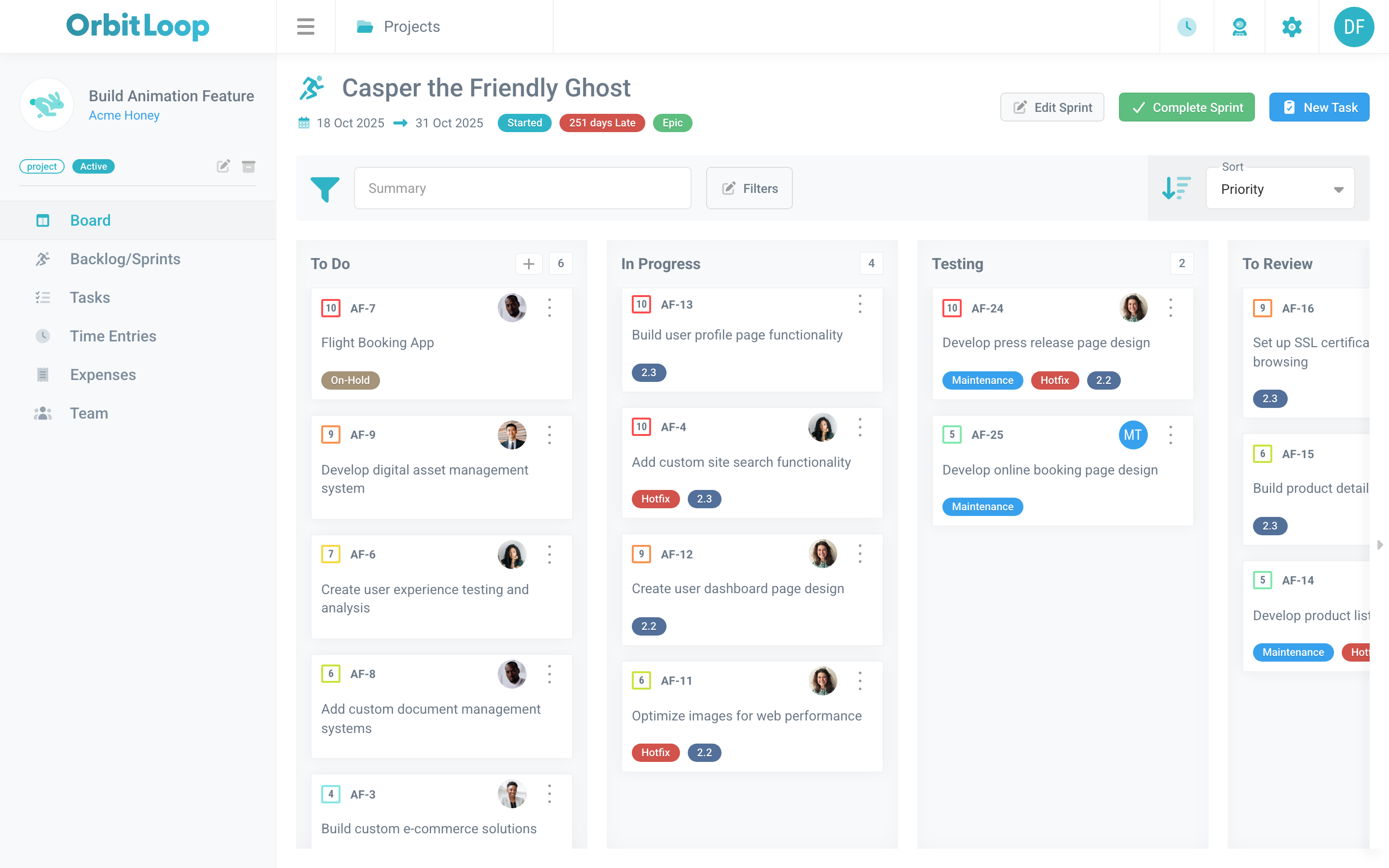
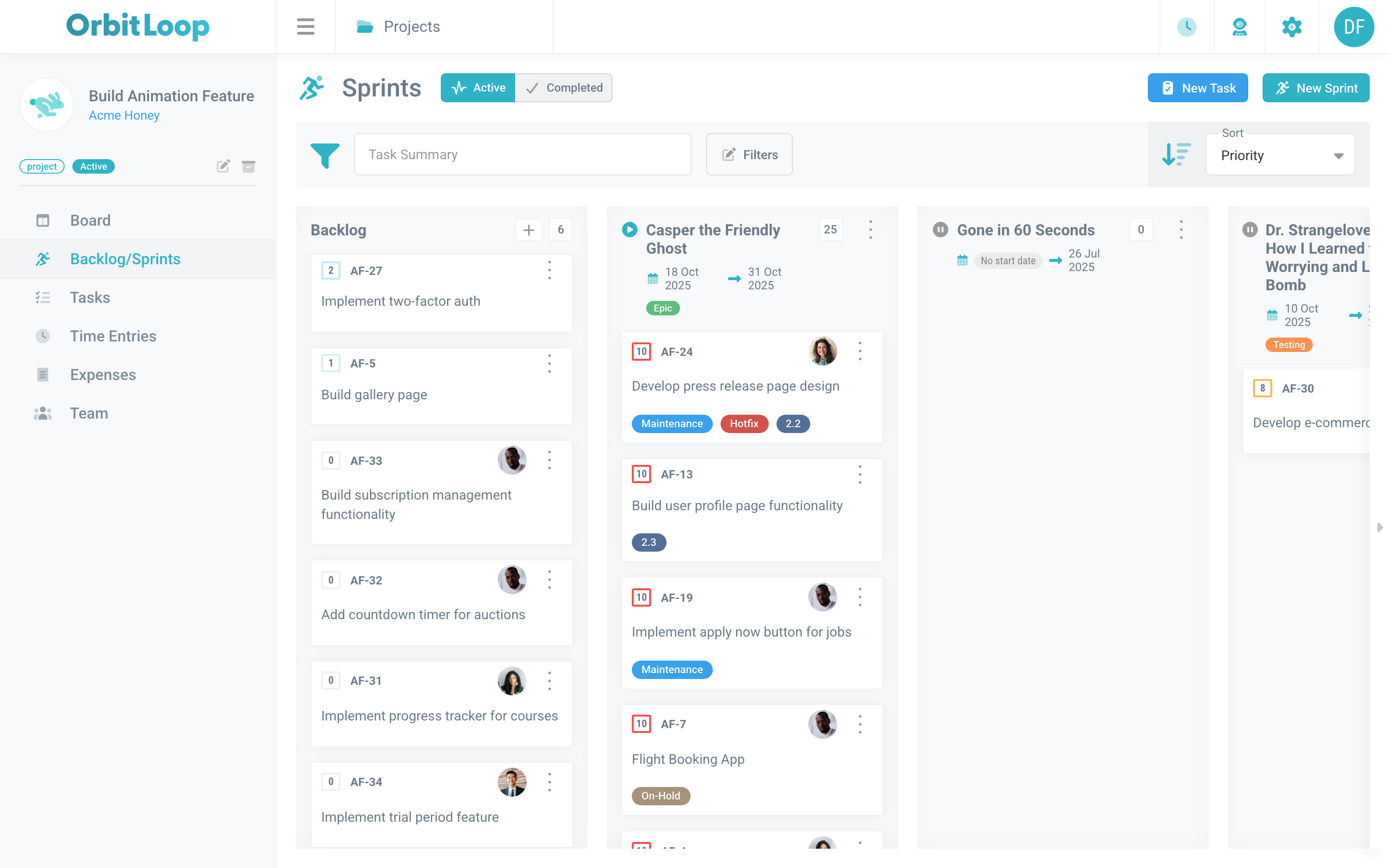
Run sprints against a project backlog and move tasks through custom kanban stages built for the way agencies actually work.
- Sprints & backlog — Plan a sprint from the backlog, run it as a board, and carry unfinished work into the next.
- Custom kanban stages — Define your own stages and statuses; drag tasks from backlog to shipped.
- Projects & clients — Client-organized projects keep every engagement in its own orbit.
Track every minute & tag
Run one live timer at a time, log time after the fact, and organize everything with billable categories and tag groups you can filter on.
- Live timer — One-click start, pause, and stop on the task you're working — a single active timer per person.
- Manual time entry — Backfill hours against any task and keep utilization honest.
- Tags & categories — Slice work with tag groups and billable/non-billable time categories.
Deliver as a team
Give every task a single owner, discuss it with real-time comments, attach the files that matter, and keep the loop visible on your personal board.
- Tasks & real-time comments — Rich tasks with a clear owner and live comments so context lives with the work.
- File attachments — Secure, token-gated files attach right to the task or invoice.
- Personal board — Your assigned work plus per-stage counts across projects — what to pick up next, at a glance.
Bill without the busywork
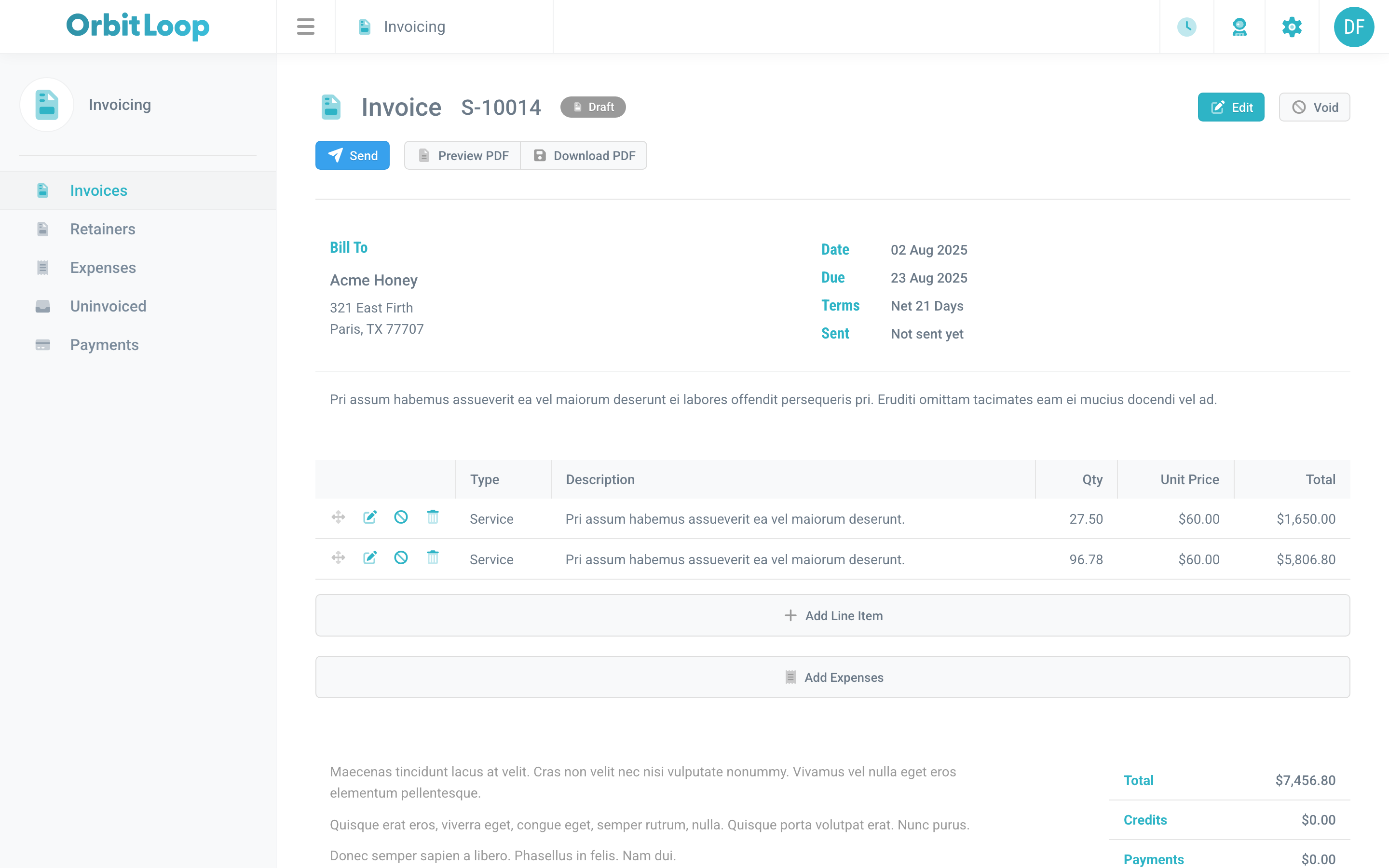
Turn tracked time and retainers into invoices in a click. Manage multi-level rates, draw down retainers, record payments, and log expenses — money-in and money-out in one place.
- Invoices & payments — Generate invoices from tracked time, email a PDF, then record payments and track the balance.
- Retainers & rates — Draw down prepaid retainers and resolve rates by client, member, or time category.
- Expenses & taxes — Capture project costs and apply tax authorities so margin stays in view.
Automate with Orbi & MCP
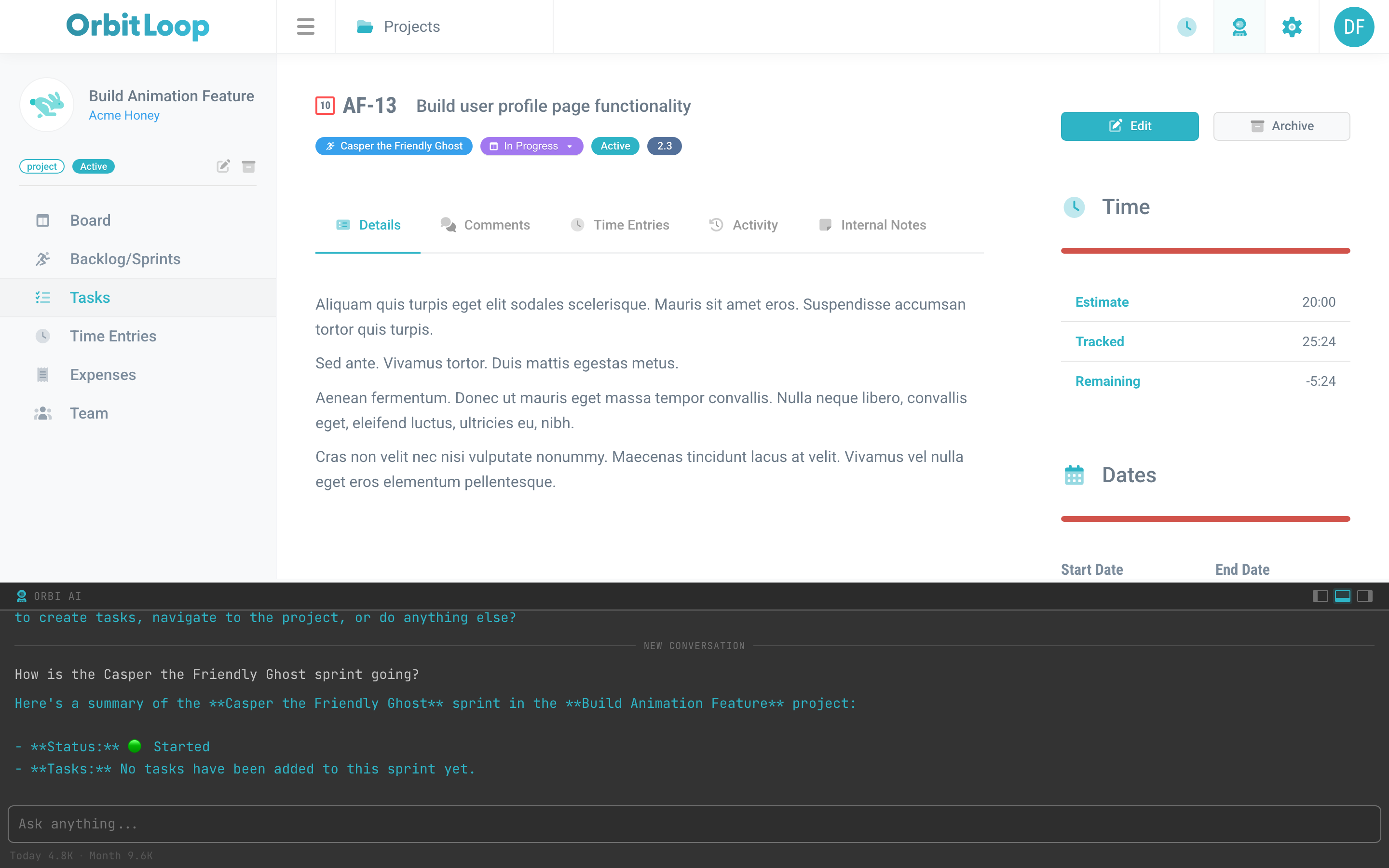
Meet Orbi, the built-in AI assistant and command console. Ask it to create and update tasks, start timers, or search your workspace — or connect any MCP client to do the same.
- Orbi AI assistant — A natural-language console that searches and acts across tasks, sprints, time, and invoices.
- MCP server — Connect Claude or any MCP client to read and write tasks, stages, sprints, tags, and time.
- API tokens — Revocable personal tokens power the MCP endpoint and your own integrations.
Ready to see it in motion?
Take the guided product tour or start your own workspace free.